SuperJoy: Use NDI Control with Your Panasonic or Sony NDI®|HX Camera
December 06, 2022
Sony and Panasonic NDI®|HX cameras currently use version 3 of NDI®|HX, which is not compatible with the NDI®|HX version 4 control used on the SuperJoy. Fortunately, NDI provides the Bridge application in NDI version 5 tools. You can use the NDI Bridge with your PC and the SuperJoy to control your Sony and Panasonic NDI®|HX cameras.
This guide will use a Panasonic AW-HN40 camera as an example.
- Before starting the NDI Bridge, confirm that you can see your camera as a source in NDI Studio Monitor. For this guide, the NDI Local Device name of "AW-HN40" and contains "Channel 1" as the NDI source:

-
By default, the camera is in the NDI Group: Public. This guide will assume your camera is also in the "Public" NDI group.
-
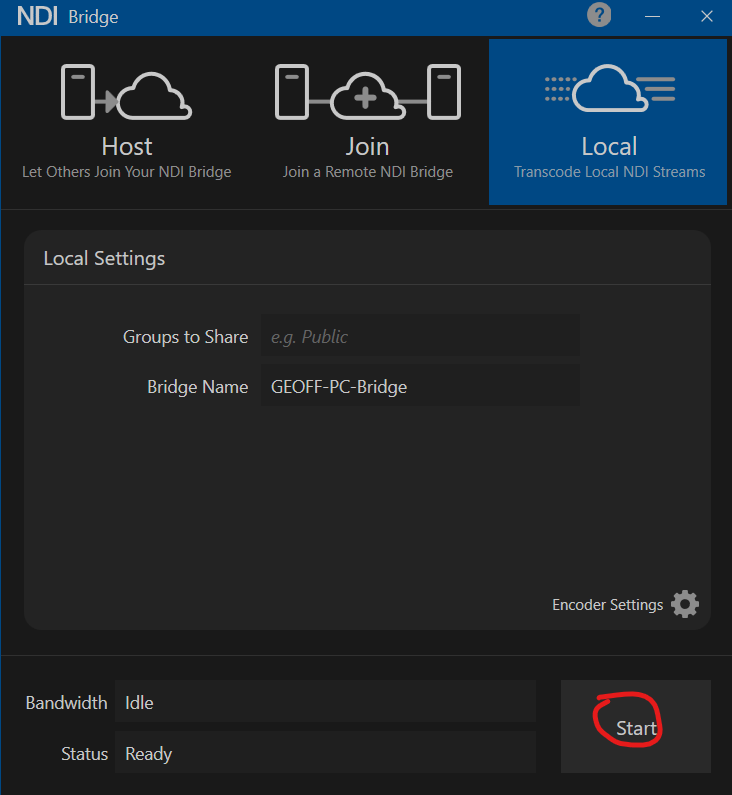
Start NDI Bridge. Navigate to the "Local" tab at the top right of the window. You can Change your Encoder Settings; the default settings will work with this guide. Click "Start":
-
NDI Bridge will rebroadcast all NDI sources from the group "Public" through a new NDI Device Name: "[PC NAME]-Bridge". Here is an example from Studio Monitor, and with a Panasonic AW-HN40 is a source:

-
Every device that is transcoded through the NDI bridge will have a unique port number assigned to it. You will use this port number with your computer's IP address to control your camera.
-
To find the port number, you need to telnet to your PC. This guide will use PuTTY for Telnet
-
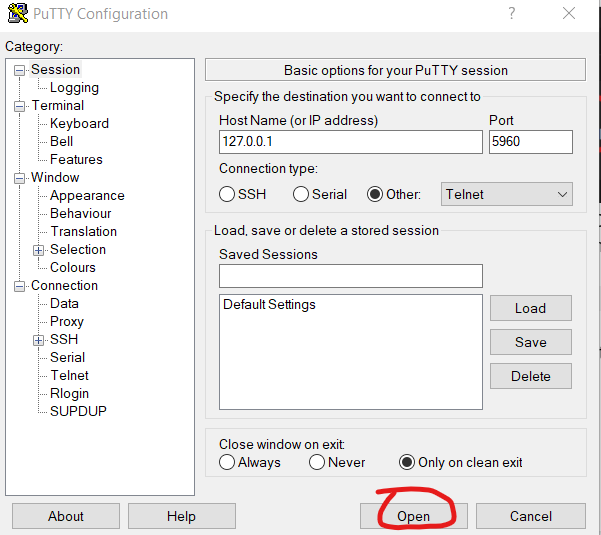
Open PuTTY. Enter 127.0.0.1 in Hostname. Change the Connection Type to Other->Telnet. Change the port to 5960. Click Open:
-
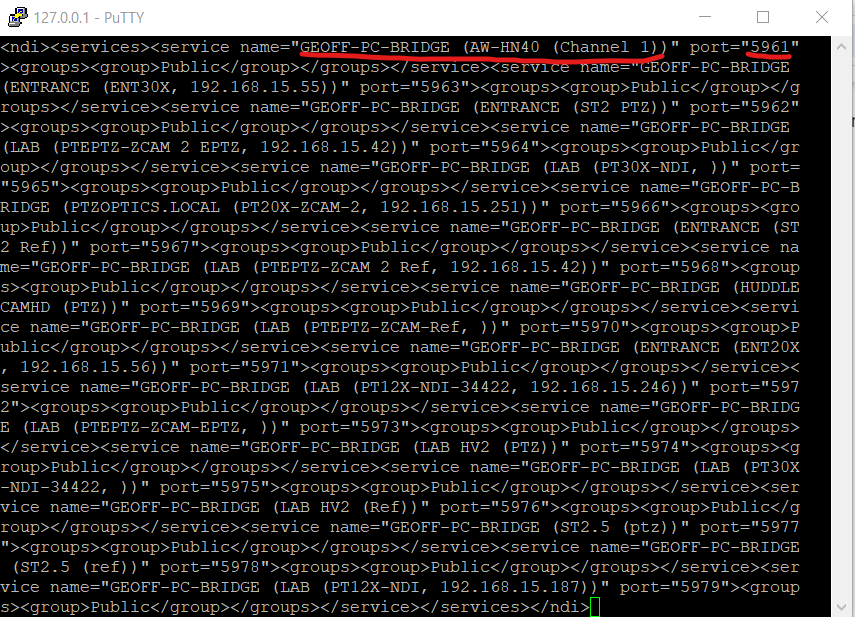
Text will be displayed on the resulting screen. You will need to find the name of your NDI source and the associated port number. The source for the Panasonic AW-HN40 is "GEOFF-PC-BRIDGE (AW-HN40 (Channel 1))". It is on port 5961:
-
This PC's IP Address is 192.168.15.75. Therefore, the Panasonic AW-HN40 is available at port 5961 of 192.168.15.75
-
Now, you will add this camera to the SuperJoy through the WebUI. Navigate to the Devices tab of the WebUI and Modify a camera source and add the following information:
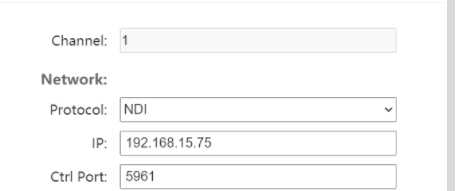
- Once this information is saved, you will be able to use your SuperJoy to control you Sony or Panasonic NDI®|HX camera through the NDI protocol.